Blog
Why Is My K12 Karaoke Speaker Not Working?

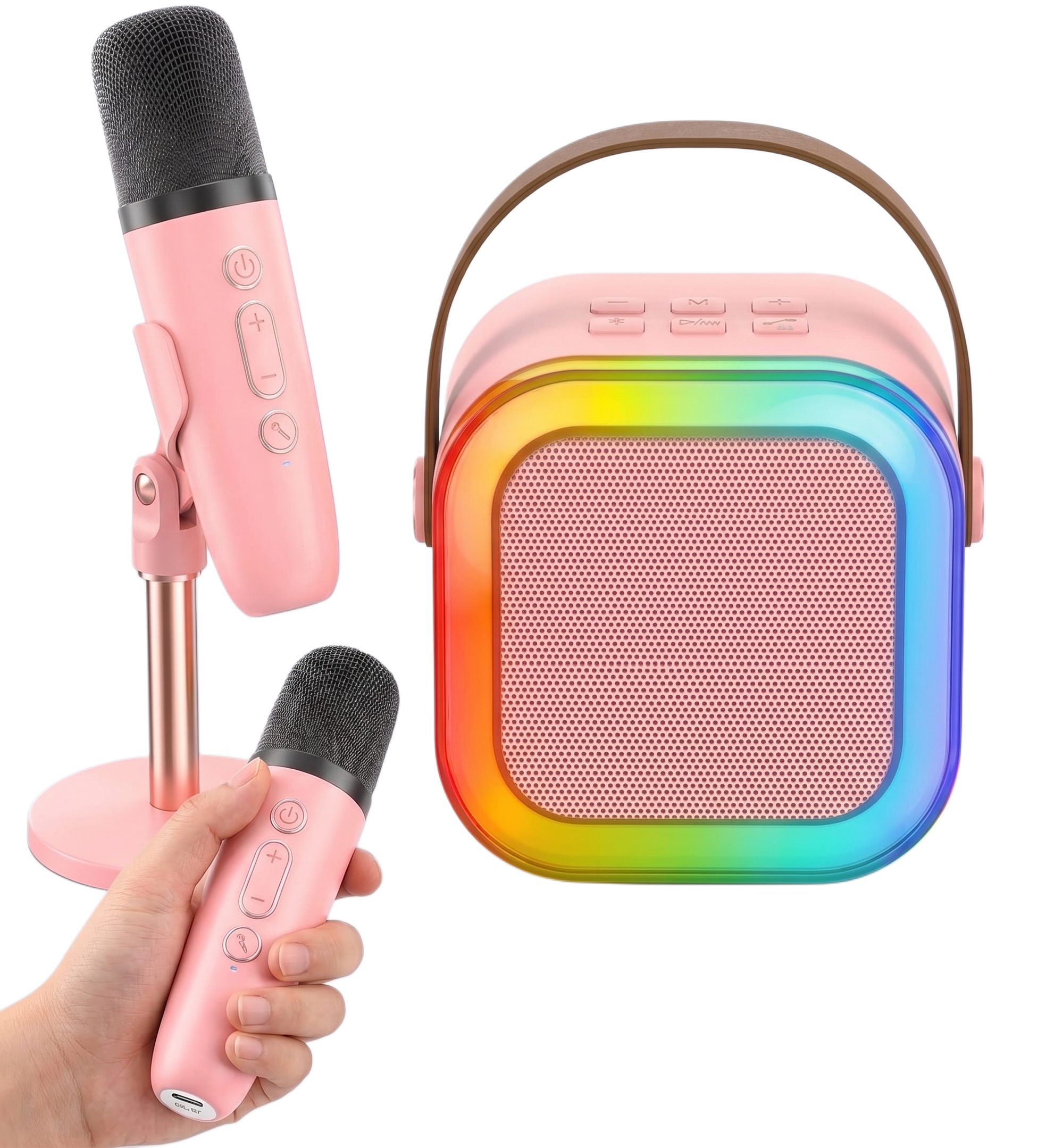
Your K12 karaoke speaker is most likely not working because of a microphone pairing issue, a volume setting on the wrong device, a flat battery, or a Bluetooth conflict with your phone. Every one of these fixes takes under two minutes.
Why Can You Hear the Music But Not Your Voice?
The mic and speaker have separate volume controls. If music plays through the speaker but your voice does not come through, the mic volume is turned down, not the speaker volume.
Press and hold the volume up button directly on the microphone itself to raise the mic output. Most people instinctively reach for the speaker volume when they cannot hear their voice, which changes the music level rather than the vocal level. The mic has its own independent volume control and it needs to be turned up separately.
Why Won’t the K12 Microphone Connect to the Speaker?
The microphone has not paired correctly. Turn both devices off completely, then turn the speaker on first and wait five seconds before switching the microphone on.
Watch the indicator light on the mic. While it is searching for the speaker it flashes blue. When it stops flashing and holds a solid light, the connection is established. If the light keeps flashing, the mic did not find the speaker. Repeat the power sequence, always starting with the speaker.
Why Is the K12 Speaker Cutting Out or Not Turning On?
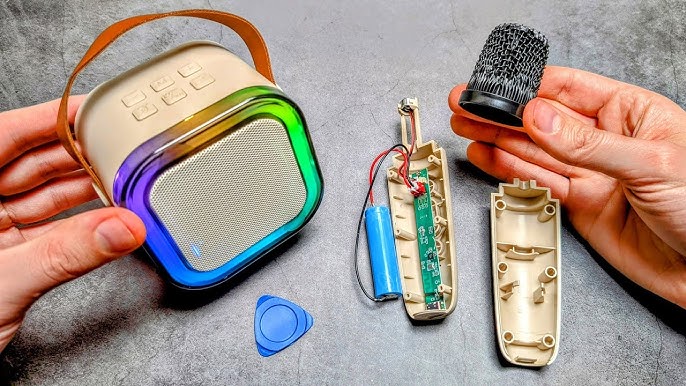
The battery is flat or the charging cable has a fault. The speaker and the microphone charge independently, so both need to be checked separately.
Try charging with a different USB-C cable and a different wall adapter before assuming the unit is faulty. The included cables on some units can be unreliable, and a cable fault is frequently mistaken for a battery or hardware problem. A red indicator light during charging that turns off or changes colour confirms a successful charge. If neither the speaker nor the mic show any charging indicator with the original cable, swap the cable first.
Why Won’t the K12 Connect to Your Phone via Bluetooth?
The phone has a saved connection that is conflicting with a fresh pairing attempt. Go to your phone’s Bluetooth settings, find the device listed as “Kinglucky Karaoke K12” or similar, tap Forget This Device, and reconnect from scratch.
Bluetooth devices save previous connection data and sometimes that saved data causes the connection to fail silently. Forgetting the device clears that history and forces a clean pairing. Once reconnected, the audio should route through the speaker immediately when you press play on any app.
If the speaker connects but audio still plays through your phone rather than the speaker, check that your phone’s media volume is routed to the Bluetooth output rather than the handset speaker. On some Android phones this requires manually selecting the output device in the audio settings.
How Do You Reset the K12 Karaoke Speaker?
Hold the power button for ten seconds to perform a full reset. Alternatively, let the battery drain completely, charge it back up, and power on fresh.
A reset clears any saved Bluetooth pairings, resets the volume levels, and returns the speaker to factory defaults. After a reset, reconnect your phone and re-pair the microphone from the beginning using the power-on sequence above.
The K12 Mini Karaoke Machine at Buy Karaoke Machine
If your K12 is genuinely faulty rather than misconfigured, Buy Karaoke Machine stocks the full K12 Mini Karaoke Machine range with direct customer support for setup and troubleshooting. The K12 is one of the most reliable mini karaoke machines in its category: Bluetooth 5.3 for fast stable pairing, automatic dual mic syncing, a 6W driver, RGB rhythm-reactive lights, and five voice effects on a single button. Most issues riders report turn out to be the mic volume or the power-on sequence rather than a fault with the machine itself. Visit Buy Karaoke Machine for the full K12 range and support.
Frequently Asked Questions
Why is there no sound from my K12 karaoke speaker?
Check the mic volume by pressing the volume up button on the microphone directly. If the speaker itself has no sound, check the battery and try a different USB-C charging cable.
How do I reset the K12 karaoke speaker?
Hold the power button for ten seconds. This clears all saved pairings and resets volume levels to default.
Why does the K12 microphone keep flashing and not connecting?
The mic cannot find the speaker. Turn both off, power the speaker on first, wait five seconds, then power the mic on. The flashing stops and holds solid when the connection is confirmed.
Why is the K12 connected to my phone but not playing sound?
Forget the device in your phone’s Bluetooth settings and reconnect. A saved pairing conflict is the most common cause of this specific symptom.